You’ve heard of blended learning. You’ve read about blended learning. You know about models of blended learning and tools that can be used in the blended classroom.
But the question our blended learning coaches get asked most often is:
“Yeah, but what does it look like?”
It’s one thing to learn about a new pedagogical technique. It’s another to see it in action. The devil is in the details, and incorporating technology into the classroom is often easier said than done.
If you’re looking for examples of blended learning in action, look no further!
Welcome to The Blended Files, our super-secret project (shhhhhhh) where we visit the classrooms of Michigan teachers and share the strategic and thoughtful ways they’re incorporating technology into their lesson plans.
Here’s one teacher we visited recently who really inspired us with her awesome blended classroom!
Case #1: “As Seen on TV: Blended Learning’s Greatest Achievements”
Grade Level: Seventh
Subject: Social Studies
Blended Model: Thoughtful Use of Technology
As we enter her classroom, Mrs. M — a 7th-grade social studies teacher at Hamilton Middle School — shines a bright smile our way. We sneak toward to the back of her classroom and sink into two unoccupied, cozy chairs.
She’s standing in front of her students, most of whom sit in standard, one-person desks, though a few occupy standing desks in the back of the room. She’s got that teacher presence, you know? The kind of warm and welcoming presence that makes you feel right at home.
We quickly uncover this much:
The goal of today’s lesson is to inform students about our world’s historical empires. Rather absorbing this information passively through lecture, however, Mrs. M asks them to participate in reframing the narrative using everyone’s favorite genre:
The infomercial!
They’re going to create an advertisement following this pattern:
“As Seen on TV: The ____ Empire’s Greatest Achievements.”
Pretty cool, right?
To start out, the kids watch examples of popular commercials. While watching, Mrs. M asks them to consider different ways commercials hook in their audience, compelling them to keep listening and learn more about their product. They’re studying the genre before beginning the process of creation.
She gives some examples, asking the students to identify the company or product being represented.
Here’s the real mystery:
None of the kids recognized the GEICO Caveman:
Seriously. . . Are we that old??!
Apparently, this beloved commercial is already a piece of history. . .
Then, the assignment begins.
In pairs, students are asked to choose a specific empire’s achievement (from a list curated by Mrs. M), research this achievement, and share their findings with the class in the form of a commercial, including whether or not this achievement is still used today.
The students have voice and choice in the genre they used to make this advertisement. For example, one pair of students chose to do a rap and interpretive dance combo.
Yeah. . . It was pretty impressive.
Before students were allowed on their devices, however, they were first asked to organize and plan their project, including making a KWL chart to guide their learning.
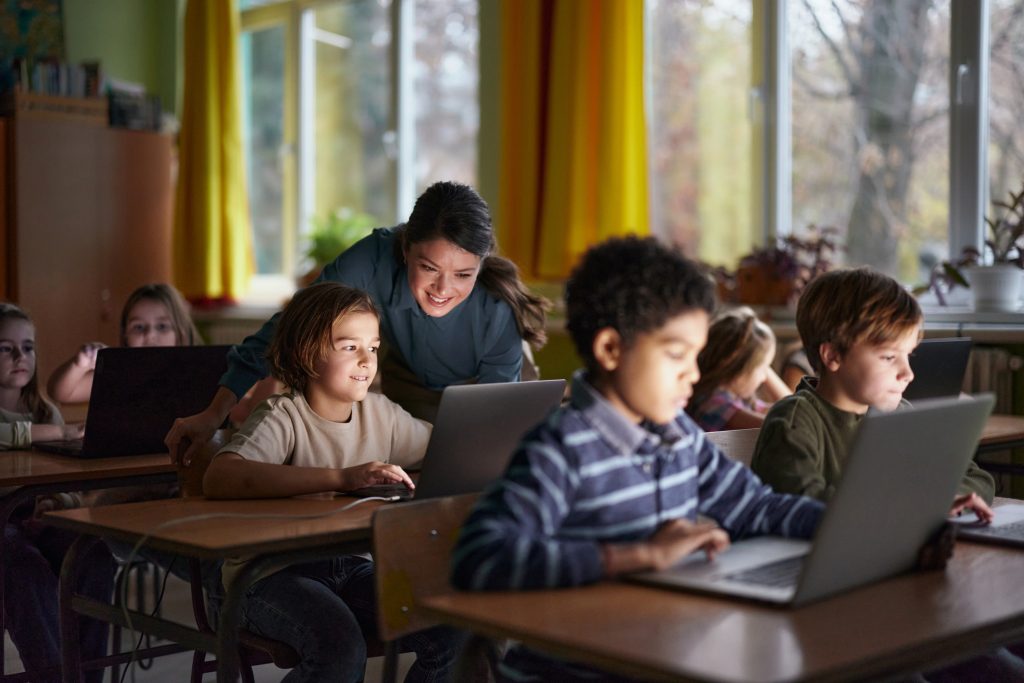
Then, and only then, were they allowed on their devices. Once they received approval from Mrs. M, they could get to work on creating their projects using the powerful tools of technology!
We’ll file this one away under:
Thoughtful use of technology.
Why is this an awesome example of blended learning?
Even though it might not initially strike you as an obvious example of blended learning, Mrs. M put a lot of strategic thought into how technology would be most useful in this lesson.
She asked her students to use technology, but in a very specific way.
Rather than sending them blindly to Google, she curated a list of online resources for them.
Before even giving them access to their devices, she asked them to plan and organize their thoughts using an old-fashioned KWL chart.
By approaching the lesson this way, Mrs. M gave her students all the necessary tools they needed to complete their work successfully, all while allowing them to choose their own topic, partner and method of delivery.
With the appropriate scaffolds in place, the technology used became even more useful.
The moral of the story?
Blended learning isn’t all about cramming technology into every part of every lesson possible.
It’s about blending holistically.
As our own Jeff Gerlach writes:
Teachers trump tools every single time.
How can I use these strategies in my blended classroom?
If you’re wondering how to emulate Mrs. M’s blended strategy in your classroom, consider this:
It’s all about planning — about considering how technology plays a role in your lesson and why.
If you need a little more guidance:
Download our free Learning Cycle Planning Document
This sheet will help you walk you through the basic, asking questions like:
- What are your learning targets/goals in this lesson?
- What instructional strategies, activities and assessments do you want to include?
- Which of these are best suited for a face-to-face environment?
- Which are best suited for a digital environment?
We hope this sheet helps you create an awesome blended lesson like Mrs. M’s!
Interested in learning more about blended learning?
Our team of professional learning specialists regularly travel around the state of Michigan to provide free or low-cost regional training in best practices in blended learning for educators.
Check out our dates and locations to find blended learning training in your area, or request customized training and coaching!